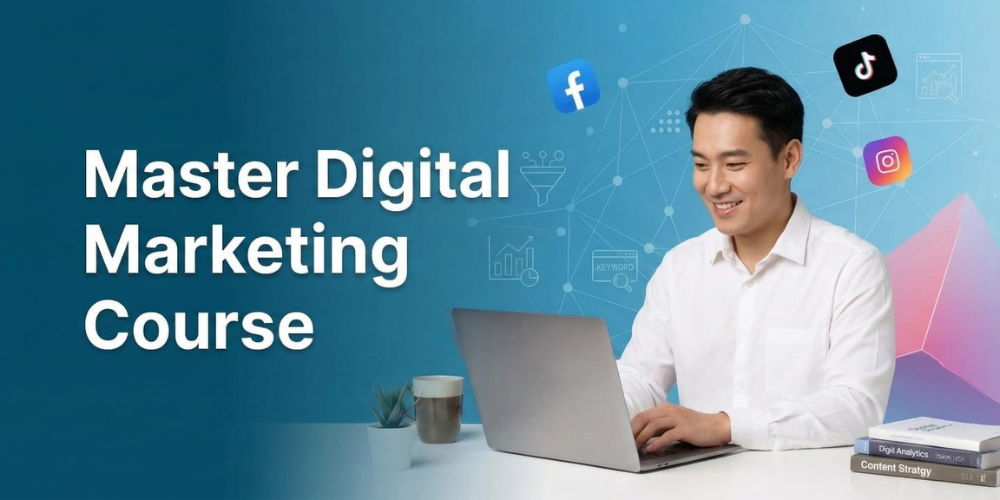
Basic Digital Marketing Course
By Ade Media Rise
4,8
Course Duration:60 hrs
Course level:Beginner to Advanced
What I will learn?
- 16+ Modules
- 100% Practical Training
- Training on Live Projects
- Regular Assisgnments & Tasks
About Course
At our institute, we offer a comprehensive *𝐁𝐀𝐒𝐈𝐂 𝐃𝐈𝐆𝐈𝐓𝐀𝐋 𝐌𝐀𝐑𝐊𝐄𝐓𝐈𝐍𝐆 𝐂𝐎𝐔𝐑𝐒𝐄* designed for beginners who want to build a strong foundation in the digital world. This offline classroom program covers everything from Digital Marketing Introduction to practical skills like Advanced Designing with Canva, Video Creation & Editing, and Website Creation on WordPress, including Ecommerce Website Design. Students gain hands-on training in Social Media Optimization, Advanced Facebook, Instagram, and LinkedIn Marketing, along with Google Ads (PPC), Display & Remarketing Ads. We also provide in-depth knowledge of SEO, Google Business Profile setup, Google Analytics, and Google Search Console. Our goal is to deliver practical, real-world skills that help students confidently start their digital marketing career or grow their business successfully.
Course Curriculum
- What is Digital Marketing?
- Promoting your business online (websites, social media, email)
- Reaching customers where they are - the internet!
- Difference between Traditional and Digital Marketing. - Why Go Digital?
- Benefits of Digital Marketing for businesses.
- Important Digital Marketing Channels.
- Branding & Design Templates
- Creating brand kits (logos, colors, fonts)
- Designing templates for posts, highlights, ads
- Social media post size guide (IG, FB, LinkedIn, YouTube)
- Reusable content templates for agencies
- Personal branding vs business branding
- Introduction to Video Content: Understanding the role of video in digital marketing, branding, and audience engagement.
- Types of Marketing Videos: Explore different video formats such as explainer videos, product demos, testimonials, tutorials, and social media videos.
- Scriptwriting & Storyboarding: Learn how to plan and structure videos with compelling scripts and engaging storyboards.
- Video Shooting Essentials: Basics of camera handling, lighting, framing, and audio setup for professional-quality video production.
- Video Editing Tools & Software: Overview of popular video editing software like Adobe Premiere Pro, Final Cut Pro, DaVinci Resolve, and mobile-friendly tools.
- Editing Techniques & Effects: Learn essential editing skills such as trimming, transitions, text overlays, color correction, and special effects.
- Adding Music, Voiceovers & Subtitles: Enhance videos with background music, professional voiceovers, and captions for better accessibility.
- Optimizing Videos for Different Platforms: Best practices for formatting and exporting videos for YouTube, Instagram, Facebook, and other digital platforms.
- Video SEO & Engagement Strategies: Learn how to optimize video titles, descriptions, and tags to improve visibility and audience retention.
- WordPress Basics:
- What it is (website building platform)
- Why use it (easy, flexible, user-friendly) - Setting Up Your Site:
- Domain Name (your website's address)
- Hosting (storage space for your website)
- Installing WordPress (Connect domain to hosting) - WordPress Overview:
- How to login to WordPress as an administrator
- What is WordPress Dashboard
- How pages are created in WordPress
- What are themes?
- What are plugins?
- Basic Settings of WordPress - Choosing a Theme:
- Identifying different types of WordPress themes (free vs. premium)
- Selecting a theme that aligns with your website's purpose & brand identity
- Learning how to install & activate a WordPress theme - Theme Customization:
- Customizing basic theme elements (colors, fonts, layouts)
- Adding a logo, favicon, and other branding elements
- Creating custom menus for easy navigation
- Pages vs. Posts (static content vs. blog entries)
- Creating New Pages (Career, Contact, Privacy Policy etc.)
- Uploading Content (text, images, videos) - Adding Features:
- Widgets (extra functionalities, like calendars)
- Plugins (tools to extend WordPress features) - Creating a 5 Page Website:
- How to create pages in WordPress
- How to create menus in WordPress
- What are the permalinks in WordPress?
Ecommerce Website Design
Essential page structures (Home, Shop, Product, Cart, Checkout)
Product page optimization (High-quality image galleries, size/color variants, clear descriptions)
User-friendly navigation & filtering (Search bar, clear categories, sorting options)
Mobile-first design and responsive layouts
Checkout process optimization (Guest checkout, multiple payment gateways, seamless flow)
Trust signals and policies (SSL certificates, return/refund policies, customer reviews)
- Introduction to SMO:
- What is SMO & how is it different from SMM?
- Its role in digital marketing.
- Overview of major social media platforms. - Target & Profile:
- Identify your ideal audience.
- Optimize profiles for searchability & brand identity. - Content Calendar:
- Plan an engaging content Calendar.
- Understanding different content formats.
- Tools for scheduling posts. - Copywriting & Hashtags:
- Craft clear, compelling copy with strong CTAs.
- Add relevant hashtags for discovery. - Analytics & Reporting:
- Measure key metrics (reach, engagement).
- Track performance and gain insights. - Algorithms & Trends:
- Understanding algorithms & trends.
- Facebook Marketing Fundamentals:
- Facebook marketing and its benefits for businesses.
- Setting Up Your Business Page.
- Setting Up Business Manager Account. - Understanding Facebook Ads:
- Understanding types of ads & advertiser choices.
- Facebook Ads Library : For Competitor Analysis. - Understanding Facebook Ads Manager
- Deep dive into Facebook Ads Manager. - Facebook Ads (Intermediate to Advanced):
- Campaign Objectives: Define your marketing goals.
- Advanced Targeting: Target based on demographics, interests & behaviours.
- Bidding Strategies: Set the right bidding strategy.
- Ad Formats: Explore various ad formats. - Tracking & Targeting:
- Facebook Pixels Setup & Conversions Tracking.
- Retargeting: Build Custom Audiences & Lookalike Audiences. - Campaign Optimization and Scaling:
- Analyze key metrics to understand campaign performance.
- Understanding Facebook Ads relevance score.
- Advanced Features: A/B Testing, Campaign Budget Optimization, Dynamic ads.
- Instagram Marketing Fundamentals
- Evolution of Instagram: Understanding the Platform’s Ecosystem
- Defining Your Goals: Awareness, Engagement, Lead Generation, or Sales
- Competitor Analysis and Trend Identification
- Setting Up a Professional Instagram Account
- Instagram’s Algorithm: How it Works and How to Leverage It - Content Strategy Development
- Crafting a Winning Content Plan
- Visual Branding: Aesthetics, Filters, and Layouts
- Storytelling Through Posts, Reels, and Stories
- Content Formats: Static Posts, Videos, Reels, and Carousels
- Tools for Content Creation: Canva, Inshot, Lightroom, and CapCut - Advanced Instagram Content Techniques
- Leveraging Instagram Reels for Virality
- Interactive Stories: Polls, Quizzes, Stickers, and Live Videos
- Instagram Guides: When and How to Use Them
- Incorporating User-Generated Content (UGC)
- Creating Engaging Captions and Powerful Call-to-Actions (CTAs) - Community Building and Engagement
- Building a Loyal Audience: Strategies and Best Practices
- Engaging with Followers Through DMs, Comments, and Stories
- Managing Instagram Communities with Automation Tools
- Collaborating with Influencers: Identifying the Right Partners
- Addressing Negative Feedback and Crisis Management - Instagram Growth Strategies
- Organic Growth Hacks: Techniques That Work in 2026
- Paid Growth Strategies: Running Ads Effectively
- Leveraging Hashtags: Advanced Research and Usage
- Cross-Promotion with Other Social Media Platforms
- Analyzing and Optimizing Content Performance - Instagram Ads Mastery
- Instagram Ad Formats: Stories, Reels, Posts, and Carousels
- Audience Targeting: Advanced Strategies Using Custom Audiences
- Ad Copywriting and Creative Optimization
- Retargeting Campaigns and Lookalike Audiences
- Measuring Ad ROI and Scaling Successful Campaigns - Analytics and Reporting
- Instagram Insights: Understanding Key Metrics
- Using Third-Party Analytics Tools for In-Depth Analysis
- Tracking Conversion Metrics Through Facebook Pixel
- Preparing Actionable Performance Reports
- Leveraging Data to Refine Strategies - Trends, Tools, and Future of Instagram Marketing
- Emerging Instagram Trends for 2026 and Beyond
- AI and Automation in Instagram Marketing
- Exploring Augmented Reality (AR) Filters and Effects
- Tools for Instagram Marketing Automation and Management
- Future of Instagram as a Business Tool - Hands-On Activities and Real-Time Projects
- Creating and Managing a 30-Day Content Calendar
- Launching a Full-Funnel Instagram Ad Campaign
- Running a Live Instagram Campaign for a Local or Global Brand
- Performing a Competitor Analysis and Crafting a Unique Value Proposition
- Building a Community and Growing an Account Organically - Career Guidance
- Case Studies of Successful Instagram Campaigns
- Building a Personal Brand on Instagram
- Job and Freelancing Opportunities in Instagram Marketing
- LinkedIn Overview: Importance of LinkedIn in B2B marketing and professional branding.
- Profile Optimization: Best practices for optimizing LinkedIn profiles for individuals and businesses.
- Content Strategy: Creating engaging content (articles, posts, videos) that resonates with your audience.
- Network Building: Techniques for growing connections and engaging with industry professionals.
- LinkedIn Ads: Overview of LinkedIn advertising options (Sponsored Content, InMail, Text Ads) and campaign creation.
- Analytics and Tracking: Using LinkedIn’s analytics tools to measure and refine campaigns.
- LinkedIn Groups: Leveraging groups for networking, content sharing, and community engagement.
- Lead Generation: Advanced strategies for generating leads using LinkedIn’s search features and campaigns.
- LinkedIn Company Page Optimization
- LinkedIn Ads- Search, InMail, Image,
Job Postings, and Retargeting Ads - Bidding Strategy
Budgeting strategy
- Introduction to Google AdWords: Understanding the fundamentals of Google AdWords and its role in Pay-Per-Click (PPC) advertising.
- Account Setup and Structure: Learn how to create and structure a Google Ads account, including campaigns, ad groups, and keywords.
- Keyword Research: Best practices for conducting keyword research and selecting high-performing keywords for PPC campaigns.
- Ad Creation and Optimization: Techniques for creating compelling ad copy and optimizing ads for maximum relevance and performance.
- Targeting and Bidding Strategies: Explore different targeting options (location, device, demographics) and bidding strategies to maximize ROI.
- Ad Extensions: Learn how to use ad extensions (sitelinks, callouts, etc.) to enhance ad visibility and user engagement.
- Performance Tracking and Analytics: Understand how to track PPC performance using Google Ads and Google Analytics, including key metrics like CTR, CPC, and conversion rate.
- A/B Testing: Learn the importance of A/B testing ads and landing pages to improve ad performance and conversion rates.
- Budget Management: Strategies for setting and managing a Google Ads budget effectively to maximize ROI.
- Introduction to Display Advertising: Understand the concept of display advertising and how it differs from other digital marketing channels.
- Types of Display Ads: Explore the different types of display ads, including banner ads, rich media ads, and video ads.
- Targeting Strategies: Learn various targeting options available for display ads, such as demographic, geographic, contextual, and remarketing targeting.
- Ad Design and Optimization: Best practices for creating eye-catching and effective display ads that drive engagement and conversions.
- Google Display Network (GDN): Overview of the Google Display Network and how to leverage it for reaching a vast audience across websites, apps, and videos.
- Programmatic Advertising: Introduction to programmatic advertising and how automated ad buying works for more efficient campaign management.
- Performance Tracking: Learn how to monitor and analyze the performance of display ads using metrics like impressions, clicks, CTR, and conversion rates.
- Remarketing with Display Ads: Techniques for using display ads to remarket to visitors who have previously interacted with your website or app.
- Budgeting and Bidding: Strategies for managing budgets and selecting bidding options to optimize ad spend and ROI for display campaigns.
Google Remarketing Ads
Setting up Google Ads remarketing tags and tracking
Creating custom audience segments (Website visitors, YouTube viewers, Customer lists)
Standard vs. Dynamic Remarketing strategies
Designing high-converting display ad creatives and copy for retargeting
Setting up frequency capping and ad scheduling
RLSA (Remarketing Lists for Search Ads) implementation
Introduction to SEO & Search Engines
This module builds the foundation by explaining how search engines operate and why SEO matters.
How Search Engines Work: Understanding the processes of Crawling, Indexing, and Ranking.
Types of SEO: The differences between White Hat, Black Hat, and Grey Hat SEO practices.
Search Engine Algorithms: An overview of major Google updates (e.g., Panda, Penguin, Hummingbird, and Core Updates) and how they impact rankings.
Anatomy of a Search Results Page (SERP): Understanding organic results, paid ads, featured snippets, and knowledge panels.
Keyword Research & Analysis
This section teaches how to find what users are searching for and how to target those terms.
Understanding Search Intent: Categorizing keywords into Informational, Navigational, Transactional, and Commercial intent.
Types of Keywords: Short-tail (broad) vs. Long-tail (specific) keywords.
Keyword Research Tools: Practical training on tools like Google Keyword Planner, Ahrefs, SEMrush, and Ubersuggest.
Competitor Analysis: Identifying which keywords competing websites are ranking for and finding content gaps.
LSI Keywords: Using Latent Semantic Indexing (related keywords) to build context.
On-Page SEO
On-page SEO covers everything you can optimize directly on the website to improve rankings.
Title Tags & Meta Descriptions: Crafting clickable and keyword-optimized titles and descriptions.
Header Tags (H1, H2, H3): Structuring content correctly for both users and search engines.
URL Optimization: Creating clean, readable, and SEO-friendly URLs.
Content Optimization: Maintaining proper keyword density, avoiding keyword stuffing, and writing high-quality, valuable content.
Image Optimization: Reducing file sizes for fast loading and adding proper "Alt Text" for image search visibility.
Internal & External Linking: Passing authority between pages on your own site and linking to high-quality external sources.
Off-Page SEO & Link Building
This module covers actions taken outside of the website to build its authority and reputation.
Understanding Backlinks: The difference between Do-Follow and No-Follow links, and why link quality matters more than link quantity.
Link Building Strategies: Techniques like Guest Blogging, Broken Link Building, and Skyscraper outreach.
Domain Authority (DA) & Page Authority (PA): Understanding metrics used to measure a website's strength.
Social Signals: How brand presence on social media platforms indirectly supports SEO efforts.
Directory Submissions & Social Bookmarking: Basic foundational link-building tactics.
Technical SEO
This focuses on the backend structure of a website to ensure search engines can easily crawl and understand it.
Website Speed Optimization: Understanding Core Web Vitals, caching, and image compression to make sites load faster.
Mobile-Friendliness: Ensuring the website is fully responsive and optimized for mobile users.
XML Sitemaps: Creating and submitting a map of the website to help search engines find all pages.
Robots.txt: Controlling which pages search engines are allowed (or not allowed) to crawl.
Canonical Tags: Preventing duplicate content issues.
Schema Markup (Structured Data): Adding code to help search engines display rich snippets (like star ratings, recipes, or event dates) in the SERPs.
Website Security: The importance of SSL certificates (HTTPS)
Introduction to Google Business Profile & Local SEO
This foundational module covers what GBP is and why it is crucial for businesses.
What is GBP? Understanding the platform (formerly Google My Business) and how it connects to Google Search and Google Maps.
The Power of Local SEO: How local search works, the concept of the "Local Pack" (the top 3 map results), and how GBP drives foot traffic and local visibility.
NAP Consistency: The importance of keeping the business Name, Address, and Phone number identical across the internet.
Account Setup and Verification
This section teaches the practical steps of getting a business on Google.
Creating or Claiming a Profile: How to search for an existing unmanaged profile to claim it, or how to build a brand new one from scratch.
Choosing the Right Business Type: Differentiating between storefronts (physical locations) and Service Area Businesses (SABs - like plumbers or delivery services).
The Verification Process: Learning the different ways Google verifies a business (Postcard, Phone/SMS, Video verification, or Email) and how to handle verification delays.
Core Profile Optimization
This is where the strategy comes in—teaching how to make the profile rank higher.
Category Selection: Choosing the perfect Primary Category (which heavily impacts ranking) and adding relevant Secondary Categories.
Writing a SEO-Optimized Business Description: Crafting a 750-character description that includes primary keywords naturally while appealing to customers.
Adding Products and Services: Creating a digital catalog with prices, descriptions, and images directly on the search page.
Accurate Business Details: Setting up regular operating hours, special holiday hours, website links, and appointment links.
Business Attributes: Adding specific tags like "Women-led," "Wheelchair accessible," "Free Wi-Fi," or "Outdoor seating."
Visual Content Strategy
Profiles with high-quality media get significantly more engagement.
Essential Brand Assets: Uploading the correct size and format for the Logo and Cover Photo.
Photo Categories: Guidelines for taking and uploading exterior photos, interior photos, product shots, and team photos.
Video Guidelines: How to use short videos (under 30 seconds) to showcase the business environment.
Customer Engagement and Reputation Management
Teaching how to build trust and interact with the audience directly through Google.
Review Management: Strategies for generating authentic 5-star reviews, and creating professional templates for replying to both positive and negative reviews.
Google Q&A: How to proactively populate the "Questions & Answers" section with Frequently Asked Questions before customers even ask them.
Direct Messaging: Setting up and managing the GBP Chat feature to answer customer inquiries in real-time.
Utilizing Google Posts
Using the profile like a social media feed to keep the audience updated.
Types of Posts: Understanding the difference between "Update," "Offer," and "Event" posts.
Post Creation: Best practices for writing compelling copy, selecting the right image, and choosing the most effective Call-to-Action (CTA) button (e.g., "Learn more," "Buy," "Call now").
Performance Tracking and Analytics (GBP Insights)
Learning how to read the data to prove the profile is working.
Understanding the Dashboard: Navigating the performance metrics inside the Google Search interface.
Traffic Sources: Analyzing how customers found the profile (Direct search vs. Discovery search).
Customer Actions: Tracking how many people clicked through to the website, requested directions, or called the phone number directly from the profile.
Advanced Management and Troubleshooting
Handling the technical issues that often arise when managing profiles.
Handling Suspensions: Understanding why Google suspends profiles (policy violations, spam) and the step-by-step process for filing a reinstatement appeal.
Managing Duplicate Listings: How to identify, merge, or remove duplicate business profiles without losing reviews.
Multi-Location Management: How to use bulk uploads via spreadsheets to manage chains or franchises with 10+ locations.
Adding Managers/Owners: How to safely grant access to employees or marketing agencies without giving up primary ownership.
- Introduction to Google Analytics
- How Google Analytics Work
- Google Analytics Set Up
- The Google Analytics Interface
- Navigation Overall Google Analytics
- Understanding Overview Reports
- How to Download and Show Report
- Reporting
- Audience Reports
- Acquisition Reports
- Behaviour Reports
- Conversion Reports
- Measuring Customs Campaigns
- Tracking Campaigns
- Create Goals for The Campaigns
- Introduction to Google Analytics
- How Google Analytics Work
- Google Analytics Set Up
- The Google Analytics Interface
- Navigation Overall Google Analytics
- Understanding Overview Reports
- How to Download and Show Report
- Reporting
- Audience Reports
- Acquisition Reports
- Behaviour Reports
- Conversion Reports
- Measuring Customs Campaigns
- Tracking Campaigns
- Create Goals for The Campaigns
Who Should Enroll?
- Students looking for a career in digital marketing.
- Anyone passionate about leveraging digital marketing to drive business success.
- Business Owners looking to scale their business through online marketing.
- Executives who wish to expand their knowledge and improve marketing strategies.
Course Materials Included
- Tools Access: Access to 30+ industry-leading tools like Google Analytics, SEMrush, Moz, and more for hands-on learning.
- Templates & Checklists: Downloadable resources to implement strategies on your own website or campaigns.
- Case Studies: Real-life examples and case studies to demonstrate how advanced techniques work in the industry.
- Video Tutorials: Step-by-step instructional videos to ensure you can follow along with every topic.
- Assignments & Tasks: Practical assignments and quizzes to test your understanding and improve skills.

₹ 25,000
₹ 30,000 Discount 15% off
Benefits Obtained :
- 100% Job Assistance
- 6+ Certifications
- Learn From Industry Experts
SHARE :
Course related